Supply pressures, shortages and inflation have relentlessly driven up technology prices over the past half-decade, and even basic devices have not been immune. That’s why you can spend $385 on a Raspberry Pi, or why Amazon’s cheapest Kindle in 2026 costs more than the mid-range one from a few years ago. “New, better features, same price” used to be a reliable formula, but now you’re lucky if you can get the same thing for little more than before.
All of the 2024 Kindles came with small price increases, but the 2026 models make them look like stellar deals. The $160 Kindle Paperwhite from two years ago wipes the floor with this year’s $150 Kindle in almost every way imaginable, from screen size to front-light quality to waterproofing—something to consider if you’re choosing between a used or refurbished Paperwhite and one of these new models.
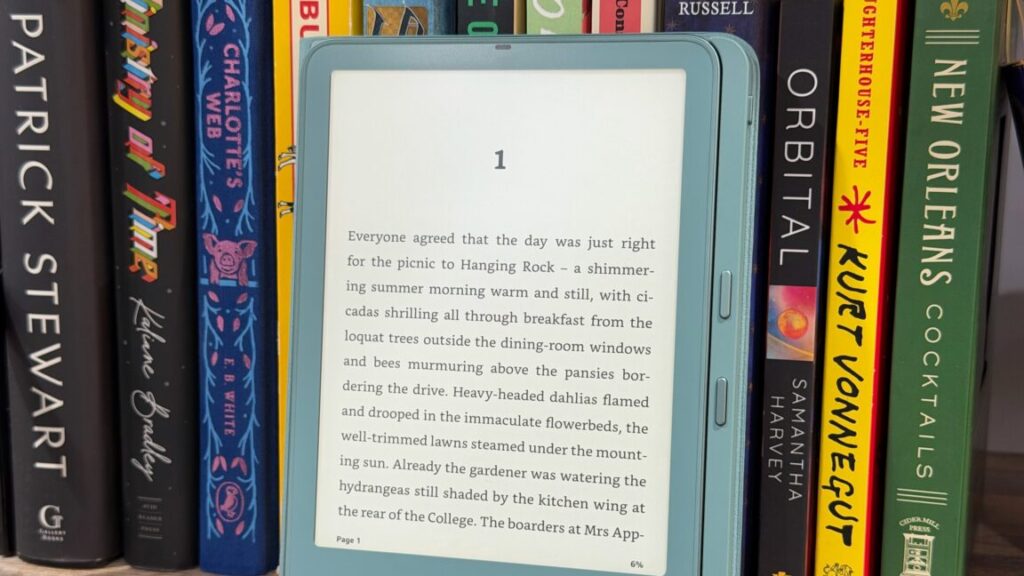
The flagship of the monochrome Kindle family, which now consists of five models, is the $250 Paperwhite Signature Edition 2026, which takes the core specs of the new $200 Paperwhite and puts it in a sturdy iPad-style aluminum casing instead of the typical plastic.
It’s an exceptionally nice reader, and if you’re willing to pay even further To do this, those who have long resisted turning the page can get their precious buttons back while reaping the benefits of the new, fast Kindle hardware. With the exception of one regression (wireless charging, a feature of the 2024 Signature Edition that was removed here), it’s the fastest and best Kindle you can get. It’s mainly the courage, or lack thereof, that leaves a bad taste in your mouth.
Hardware upgrades
The 7-inch Kindle Paperwhite Signature Edition (left) and the basic 6-inch Kindle.
Andrew Cunningham
The 7-inch Kindle Paperwhite Signature Edition (left) and the basic 6-inch Kindle.
Andrew Cunningham
The power buttons have been relocated to the left side of the readers, rather than the bottom.
Andrew Cunningham
The power buttons have been relocated to the left side of the readers, rather than the bottom.
Andrew Cunningham
The 7-inch Kindle Paperwhite Signature Edition (left) and the basic 6-inch Kindle.
Andrew Cunningham
The power buttons have been relocated to the left side of the readers, rather than the bottom.
Andrew Cunningham
USB-C ports on the bottom of both Kindles.
Andrew Cunningham
USB-C ports on the bottom of both Kindles.
Andrew Cunningham
The Paperwhite Signature Edition’s copper contacts connect to accessories with pogo pins.
Andrew Cunningham
The Paperwhite Signature Edition’s copper contacts connect to accessories with pogo pins.
Andrew Cunningham
USB-C ports on the bottom of both Kindles.
Andrew Cunningham
The Paperwhite Signature Edition’s copper contacts connect to accessories with pogo pins.
Andrew Cunningham
Unlike the 2021 or 2024 Kindle Paperwhite updates, the 2026 Paperwhite doesn’t include any notable display or lighting upgrades. Anyone upgrading from a two- or three-generation older version of hardware will still get an upgrade, but the Paperwhite 2026 isn’t doing much to boost the category. And while speed increases were front and center in Amazon’s promotional material for the 2024 Paperwhite, Amazon doesn’t highlight any particular gains for this year’s Paperwhite (although the base Kindle apparently opens books 30 percent faster than the previous generation Kindle).