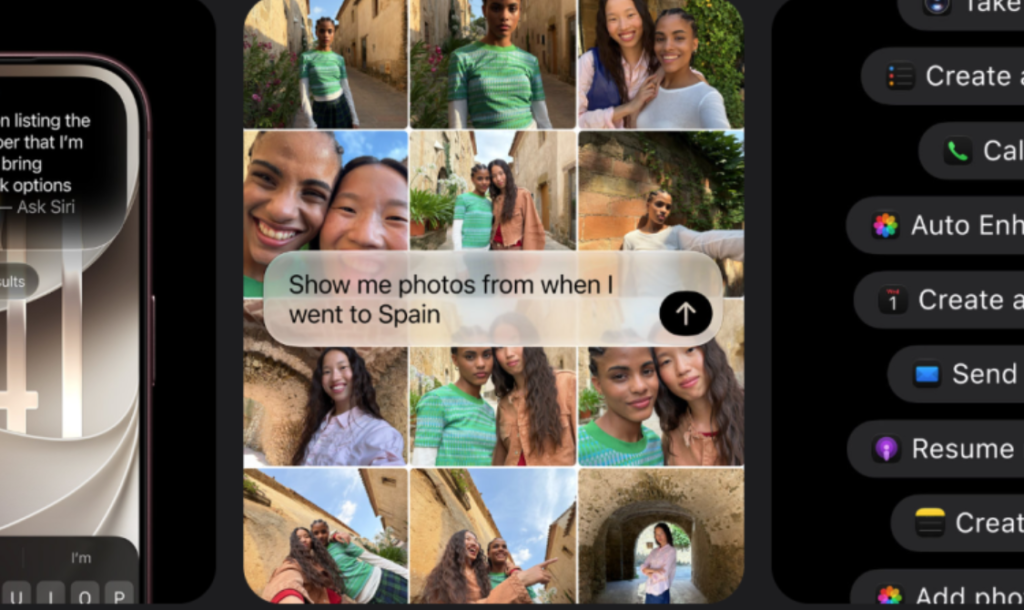
Apple’s biggest software update of the year is now reaching iPhones everywhere. iOS 27 brings a completely rebuilt Siri, but it’s far from the only change worth knowing about — this release also touches CarPlay, parental controls, everyday iPhone conveniences, and under-the-hood performance in ways that will affect daily use well beyond the AI headlines. Here’s a full rundown of what actually changed.
iOS 27 Release Details: What Landed and When
Apple released iOS 27 on Monday, September 14, alongside matching software updates for iPad, Mac, Apple Watch, Apple Vision Pro, and Apple TV. The rollout followed an extended beta testing period stretching from June through late August, giving developers roughly three months to adapt their apps ahead of general release — noticeably longer than Apple’s typical testing window in past years.
Siri AI: A Complete Rebuild of Apple’s Assistant
The centerpiece of iOS 27 is Siri AI, an entirely reworked version of Siri built for multi-step conversations and genuine contextual understanding rather than isolated one-off commands. It now has its own dedicated app, with conversation history syncing across a user’s Apple devices through iCloud, so a conversation started on iPhone can be picked back up later on iPad or Mac. Access is rolling out gradually, with an opt-in toggle in Settings and, depending on server demand, a waitlist before the feature fully activates.
Performance Under the Hood: Faster App Launches and a Refined Liquid Glass Design
Beyond the AI headlines, iOS 27 brings genuine performance gains, with Apple citing app launch speeds up to 30 percent faster than the previous release. The visual Liquid Glass design language, introduced in the prior iOS generation, also gets refined here to be more customizable and easier to read, addressing some of the readability criticism that design direction drew when it first launched.
New iPhone-Specific Features: Dual Numbers, Bill Splitting and AirPods EQ
Several smaller but genuinely useful iPhone-specific features arrive with this release. Users can now use the same phone number across two separate iPhones simultaneously, a convenience aimed at people juggling a work and personal device. A new bill-splitting feature launches in the US, simplifying a task that’s historically required a separate app entirely. AirPods also gain support for custom EQ settings, letting users fine-tune sound output to their own preferences rather than relying solely on Apple’s preset sound profiles.
CarPlay’s Overhaul: Video, Siri AI and a New Look
CarPlay receives one of its most substantial updates in years. Siri AI now runs as its own app within CarPlay’s interface, offering full conversational capability for hands-free use while driving. Video-capable apps can be browsed and watched through CarPlay for the first time, though playback automatically pauses and switches to audio-only the instant the vehicle starts moving. The interface itself adopts the Liquid Glass design language, complete with a persistent Now Playing mini-player, a scrubbable progress bar for audio content, and 14 new wallpapers built specifically for in-car displays.
Expanded Parental Controls and Child Safety
iOS 27 includes a significant child safety push, featuring a redesigned Screen Time experience built around new limits for age-inappropriate websites, expanded communication controls, and more granular tools for managing exactly when and how children can use specific apps. These changes extend across Apple’s entire software ecosystem this cycle rather than being limited to iPhone alone, covering iPad, Mac, Apple Watch, and Vision Pro as well.
The Regional Rollout Gap: EU and China Left Waiting
Not every iPhone user gets the same experience on day one. Siri AI and the broader set of features that depend on it aren’t available yet in the European Union, where Apple says it’s still working through a path forward that satisfies regional privacy and security requirements. The feature is similarly on hold in mainland China while Apple navigates local regulatory approval. Users in both regions will still receive iOS 27’s non-AI improvements, but the update’s flagship feature remains unavailable there for now.
Which iPhones Get Every Feature vs. a Stripped-Down Experience
Compatibility with iOS 27 itself is broad, covering the iPhone 11 series onward, including the newly released iPhone 18 Pro and Pro Max — no devices were dropped from last year’s supported list. Siri AI specifically, however, requires an A17 Pro chip and at least 8GB of RAM, meaning the iPhone 11 through the standard iPhone 15 and 15 Plus will install iOS 27 normally but miss out on the new Siri experience entirely, regardless of region.
How to Get iOS 27 on Your iPhone Right Now
Updating is done through Settings, then General, then Software Update, where iOS 27 should appear for any eligible device. Apple recommends staying connected to Wi-Fi and keeping the iPhone plugged in throughout the download and installation process to avoid interruptions. Given how much changes in this particular release — from Siri’s complete overhaul to CarPlay’s redesign — backing up your device beforehand through iCloud or a computer is a sensible precaution before installing, even though the update itself is free and available to every eligible iPhone.