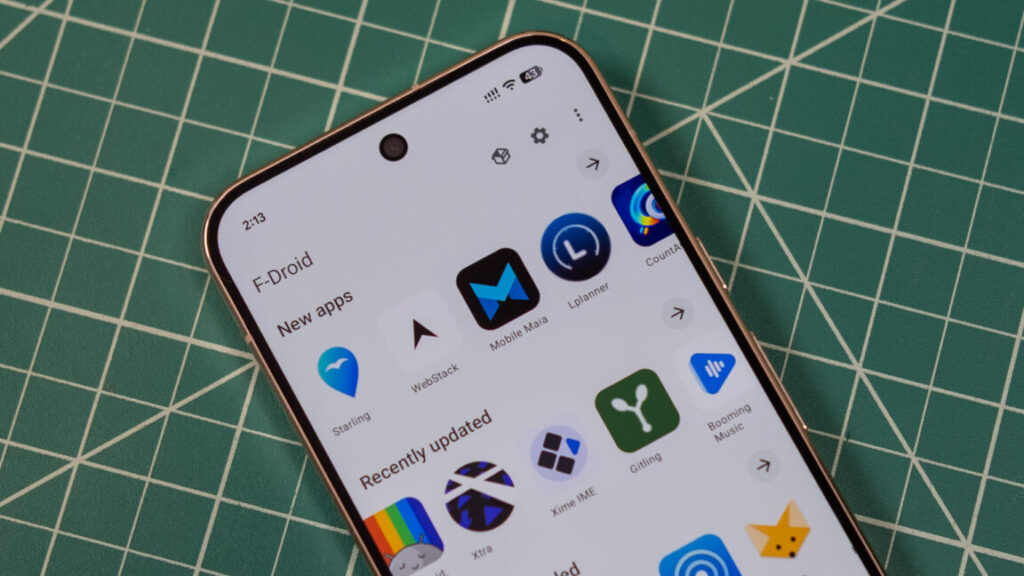
Virtually all Android devices come with the Play Store preloaded, but there are other ways to get apps. F-Droid bills itself as a community source for free and open source Android apps, but its official app store has gone 10 years without a major update. That’s finally changing: after a multi-year effort, the team has just announced that F-Droid 2.0 is being released.
The new F-Droid client was redesigned from the ground up in Kotlin Compose, which is the standard for modern Android apps. This makes the store much more responsive and there is optional support for Android’s Material theme. The interface has also been cleaned up considerably, making it easier to access the most important functions and hiding some others in additional menus.
While the new F-Droid looks better, the update was mainly focused on making it easier to find and install apps. When F-Droid first came out, there wasn’t much to look at, but now it has thousands of open source apps. Unlike the Play Store, F-Droid doesn’t track your taps and installs to deliver ads and suggestions; It helps you find things and get out of the way.
F-Droid now includes a host of categories, delving into specialized niches like firewalls, password managers, and VPNs. You can see all these groups in the search tab. There are also top-level categories listed on the main Discover page. When searching for apps, F-Droid will now be able to return results based on app descriptions instead of just names.
When you find an app, F-Droid 2.0 will make the installation process easier. Google has long put up roadblocks to downloaded apps, citing security implications. This is also the reason behind their upcoming developer verification system. At least for now, apps will be easier to install from F-Droid thanks to the use of Google’s pre-approval API. Instead of downloading an APK, opening it, and confirming the scary download pop-up, you’ll simply be able to verify that you want to install an app before downloading it. Then you tap “Install” on F-Droid and then tap “Install” again on a system pop-up window. It’s one more click than the Play Store, but it’s still an improvement.